
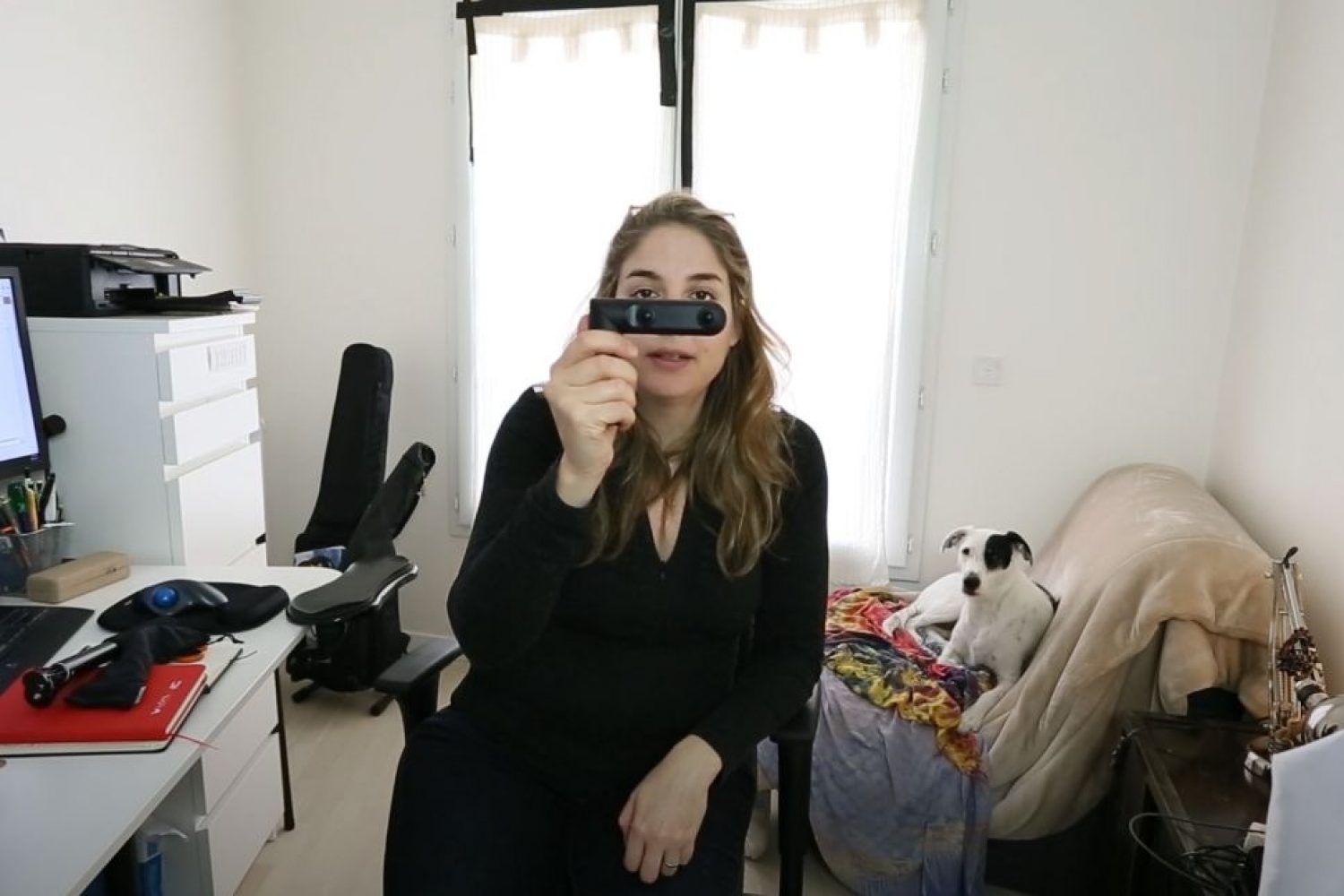
QooCam 360 Camera Review: 4K, VR180 & RAW+ Tests
Hands-on camera review, real-world video samples, stabilization tests and a practical Kandao RAW+ tutorial.
Originally published in 2019 | Editorial update: November 2026
This review revisits my experience with the original Kandao QooCam, the first generation of this innovative 360° camera. Some features, applications and software resources may have changed since its original publication.
Kandao QooCam: One Camera, Two Immersive Formats
When the Kandao QooCam was first introduced, one of its most distinctive features was its ability to switch between 360° video and stereoscopic 180° 3D video (VR180).
Thanks to its rotating camera design, it offered two different approaches to immersive content creation in a single compact device.
Having worked for many years in 360° audiovisual production, virtual reality and panoramic photography, I was curious to explore what this camera could actually deliver in real-world shooting conditions.
In this hands-on review, I share my original video samples, stabilization tests, photographic experiments and several practical post-production tutorials.
QooCam 360 Camera: Main Features
The original QooCam offered several interesting features:
- 4K 360° video recording for immersive content creation.
- Stereoscopic 180° 3D capture, compatible with the VR180 format.
- Rotating camera design for switching between 360° and 180° 3D shooting modes.
- Electronic image stabilization for smoother footage.
- RAW photography and DNG8 capture for improved image processing.
- Smartphone editing tools, including reframing and creative video effects.
- Depth-based photography features, such as background blur and 3D photos.
This combination made the QooCam an interesting tool for experimenting with immersive storytelling without needing multiple cameras.
QooCam 360° Video Test in Real-World Conditions
Technical specifications only tell part of the story. The real capabilities and limitations of a camera become apparent when shooting outside controlled environments.
I recorded several sequences under different lighting conditions to evaluate image quality, exposure, stabilization and the overall workflow.
Original QooCam 360° Video Samples
These examples demonstrate how the camera performed in practical shooting situations.
Although 4K resolution helped make 360° content creation more accessible, professional immersive productions often require higher resolution, greater dynamic range and more advanced post-production tools.
QooCam Video Stabilization: One of Its Strengths
During my initial tests, electronic image stabilization was one of the features that impressed me most.
In 360° video production, controlling unwanted camera movement is particularly important. Excessive shaking or unintended rotation can become uncomfortable when the footage is viewed through a VR headset.
The QooCam offered a practical way to capture smoother immersive footage without always needing an external stabilization system.
Improving 360° Photography with Kandao RAW+
One of the most interesting features of the original QooCam was its compatibility with Kandao RAW+, an image-processing system that combines multiple RAW photographs into a single image.
This computational photography technique can improve image detail, reduce noise and enhance the overall quality of the final photograph.
QooCam Tutorial: How to Use DNG8 and Kandao RAW+
- Download the required software. Install Adobe DNG Converter, if needed for your workflow, and a compatible version of Kandao RAW+ from the official website.
- Activate DNG8 mode. Set the QooCam to DNG8 mode. The camera captures eight DNG photographs in rapid succession.
- Import your files. Load the eight DNG images into Kandao RAW+.
- Select a reference image. Choose the sharpest photograph to serve as the reference for image alignment.
- Process the sequence. Combine the images into a single enhanced DNG file using Kandao RAW+.
- Edit the resulting RAW file. Make final adjustments in Adobe Photoshop, Adobe Camera Raw or another compatible RAW editor.
- Create your 360° panorama. Stitch and export the processed image using compatible QooCam software.
Unlike traditional exposure bracketing, which combines photographs captured at different exposure values, DNG8 captures multiple images using the same exposure settings.
This multi-frame approach is designed to reduce noise and improve image quality through computational processing.
Additional Kandao RAW+ Resources
- Kandao official website
- Kandao QooCam support and DNG8 workflow
- DNG8 RAW+ webinar by Yuqing
- Official Kandao software downloads
- Adobe DNG Converter
Please note: These resources relate to an older generation of immersive cameras. Compatibility with current operating systems and software versions should be verified before installation.
VR180: Shooting Stereoscopic 180° 3D Video
Another distinctive feature of the QooCam was its ability to capture stereoscopic 180° video.
Unlike monoscopic 360° video, which allows viewers to look in every direction but does not provide binocular depth, VR180 records two slightly different viewpoints to create a stereoscopic 3D effect within a 180° field of view.
This makes VR180 particularly interesting when the main action takes place in front of the camera, as it allows viewers to experience a more natural sense of depth.
3D Photography and Depth Mapping
The QooCam also offered creative photographic features based on depth information.
These included background blur, adjusting the focus area after capturing a photograph, and generating 3D images for compatible social media platforms.
At the time, these tools offered accessible ways to experiment with computational photography and depth-based imaging.
Creative Video Effects: Smart Clip, Dolly Zoom and Slow Motion
Beyond immersive recording, Kandao provided several creative editing features that allowed users to transform 360° footage into conventional videos.
Smart Clip and Overcapture
Overcapture allows you to select and animate a specific frame within a 360° recording during post-production.
Instead of physically moving the camera during filming, you can create virtual pans, tilts and reframing movements afterward.
This approach offers significant creative flexibility, particularly for producing traditional videos from immersive footage.
Dolly Zoom
The Dolly Zoom effect creates a dramatic visual illusion by combining camera movement with a change in focal length or its simulated equivalent.
When applied creatively to 360° footage, it can produce striking changes in the apparent perspective and scale of the environment.
Slow Motion and Time-Lapse
The QooCam editing ecosystem also provided creative tools for experimenting with slow-motion effects and time-lapse sequences.
These effects offered additional possibilities for producing engaging videos from footage captured with a compact 360° camera.
QooCam Post-Production: Smartphone or Computer?
The original QooCam provided two main approaches to editing and processing footage.
Smartphone workflow: The QooCam mobile application allowed users to preview, edit, reframe and export their footage directly from a compatible smartphone.
Desktop workflow: QooCam Studio provided additional tools for processing files and preparing 360° video and photographic exports on a computer.
For professional immersive productions, however, additional post-production steps may be necessary, including color grading, noise reduction, stitching corrections and export optimization for VR headsets.
Is the Original QooCam Still Worth Using in 2026?
The first-generation Kandao QooCam now belongs to an earlier generation of consumer immersive cameras.
Its main value today lies in understanding the evolution of accessible 360° and stereoscopic video technology.
Its rotating camera design, RAW+ image processing and mobile editing features demonstrate how manufacturers were already exploring more flexible immersive production workflows back in 2019.
For anyone considering purchasing a second-hand QooCam, I recommend checking:
- Software availability: Make sure compatible versions of QooCam Studio and Kandao RAW+ can still be downloaded.
- Smartphone compatibility: Older mobile applications may not work correctly with recent operating systems.
- Battery condition: The original camera’s battery may have deteriorated over time.
- Post-production compatibility: Verify that your computer can still process the camera’s original file formats.
2026 Update: QooCam Software Compatibility
There is some good news for owners of the original QooCam: Kandao still provides legacy versions of QooCam Studio and Kandao RAW+ on its official website.
However, QooCam Studio 2025 does not support VR180 footage from the original QooCam (Mark 1). Users working with these older stereoscopic files may therefore need to use QooCam Studio 1.0.
It is important to remember that software availability does not necessarily guarantee compatibility with modern operating systems.
You can find the available software and legacy versions on Kandao’s official download page.
Final Thoughts: A Creative Camera That Helped Make 360° Video More Accessible
Looking back at my original tests, the Kandao QooCam represented an interesting approach to accessible immersive content creation.
Its combination of 360° video, VR180 stereoscopic recording, electronic stabilization and RAW+ computational photography encouraged experimentation with different visual formats.
While today’s immersive cameras offer significantly more advanced imaging capabilities, the original QooCam remains a useful example of how VR production tools have evolved.
For me, testing cameras like the QooCam has always been about more than comparing technical specifications. It’s about understanding how new tools can expand creative possibilities and how they fit into real audiovisual production workflows.
About the Author
I’m Michael Kolchesky, an independent audiovisual creator specializing in 360° video production, VR filmmaking, HDR panoramic photography and immersive capture workflows.
Through Visual Solutions 360, I have worked on numerous immersive productions for international brands, cultural institutions and artistic projects.
I also enjoy testing cameras, filming equipment and post-production software, sharing practical insights based on real-world production experience.
Explore my work: Visual Solutions 360
Camera manufacturers and technology companies: I’m open to collaborations involving professional equipment testing, hands-on camera reviews, technical demonstrations, immersive production workflows and audiovisual content creation.